
Speed Optimization

Website speed optimization in Culver City, CA

Speed optimization for Culver City businesses whose pages lean on photos, video and menus, tested the way customers really load them, for example on a phone between errands.

  • Core Web Vitals
  • Image-heavy pages
  • Video and reels
  • Script loading
  • Caching
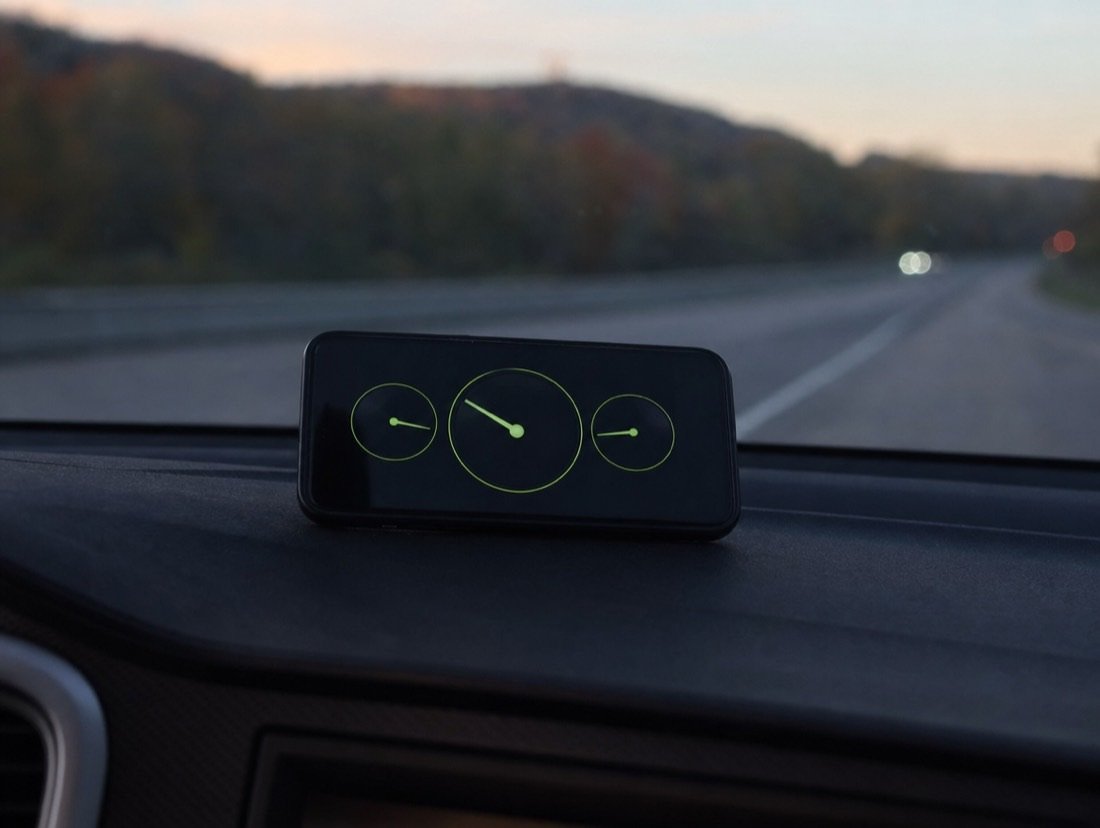
Three speed gauges on a phone clipped to a car dashboard during an evening drive

Speed optimization for showreels and menus on a mobile connection

Creative businesses here are proud of their visuals, and rightly so. For example, a photo studio shows off its cyc wall and lighting grid, a post house embeds a reel, a restaurant posts its whole menu as one designed image, and a pilates studio fills its home page with a looping video. On a fast office connection it all looks effortless. On a phone, however, it can take so long that the visitor returns to the results before anything appears.

First visits often do happen on a phone, on the move. People search from an E Line platform, while walking between the Steps and Washington Boulevard, or in the few minutes before a meeting wraps up. So searches such as “culver city restaurants open now” and “culver city studios for rent” come from someone typing with a thumb who will not wait for a heavy page.

Google pays attention too, since part of its page-experience signal comes from loading figures that Chrome records on real visits. As a result, a sluggish site loses visitors and gives Google less reason to rank it. Speed optimization seldom means removing the reel or the gallery; instead, it means sending each file at a sensible size, in a modern format, at the moment the visitor needs it.

  • 2.5 s LCP target for a good score
  • 200 ms INP target for responsiveness
  • 0.1 CLS limit for a stable layout
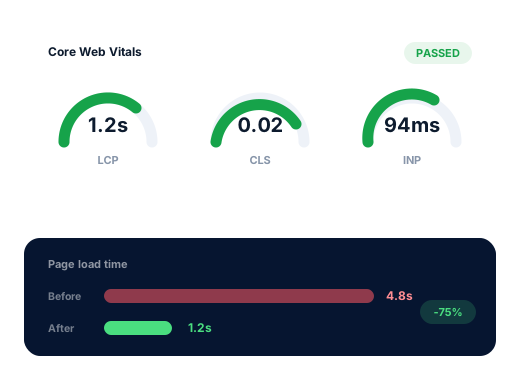
Speed optimization drawing: three gauges in the green next to an almost complete progress bar

Search demand

Searches that lead straight to your heaviest pages

Taken from Google’s autocomplete under US settings on 5 October 2026. Although speed itself never appears in local searches, many of them open a business’s weightiest pages, usually on a phone.

Search term Intent Why it matters
culver city studios for rent High Stage and studio pages full of photos and specs, so the first image must arrive fast.
culver city photo studio High Bookers compare galleries side by side, then skip the slow ones.
post production culver city Research Reels and embedded video, often the heaviest element on the page.
rooftop restaurants culver city ca High The view is what sells, so its photo has to load quickly.
culver city restaurants open now High A decision made in seconds, on a phone.
culver city coffee shops to work Medium Someone checking seating and wifi before they walk over.
culver city apartments for rent 2 bedroom High Renters flick from listing to listing, so they will not wait for each one.
culver city wedding venues Research Couples browsing large galleries while comparing several venues.

Speed optimization keeps the visuals and drops the weight

Speed optimization never asks you to give up the images and reels that sell your work. A hero photo sized for the screen showing it, saved as WebP or AVIF and loaded with priority, a reel that downloads only when someone presses play, and a menu published as text instead of a picture can look the same and arrive far sooner. We start with the pages that earn the most inquiries and judge success by Google’s field data from actual visitors, rather than by a lab score.

Common causes

Five heavy habits that speed optimization undoes

Slow sites usually suffer from several of these at once.

  1. 01

    Full-resolution stills in small frames

    One still from a professional shoot can weigh more than the rest of the page put together, even though the page shows it only a few hundred pixels wide. Resizing and converting it removes most of that weight with no visible loss.

  2. 02

    Autoplaying reels and background video

    A looping video at the top of the page makes the phone download it before much else. Instead, a poster image that starts the video on tap, or a lighter cut for mobile, keeps the effect without the wait.

  3. 03

    Menus and price lists posted as images

    A designed menu uploaded as one large picture is slow, hard to read on a phone and invisible to search. By contrast, the same menu as text loads at once and can rank for the dishes on it.

  4. 04

    Page builders loading everything everywhere

    Drag-and-drop builders often ship a large bundle of scripts and styles to every page, whether or not that page uses them.

  5. 05

    Hosting that keeps the browser waiting

    If the host takes too long to send the first byte, every later step starts late. Caching hides some of it, but sometimes a better host is the real fix.

Google’s three measures

The three scores speed optimization works on

These numbers are not lab tests; instead, Chrome reports them from real visits, pooled over the last 28 days. Following Google’s Web Vitals guidance, each one counts as passed when three out of every four visits hit the target.

01

Largest Contentful Paint (LCP)

Loading

The moment the largest element on screen, usually a hero photo or a video poster, finishes rendering. At or under 2.5 seconds counts as good. However, on image-led sites this is the measure that fails most often.


02

Interaction to Next Paint (INP)

Responsiveness

The delay between a tap and the screen visibly responding, for instance when a menu, a booking calendar or a gallery opens. Under 200 milliseconds counts as good, whereas bulky sliders, chat tools and stacked analytics tags usually drag it down.

03

Cumulative Layout Shift (CLS)

Stability

How much the page jumps around while it loads, the reason a visitor aims for “Book” and hits “Call”. Anything below 0.1 rates as good, and reserving space for images, embeds and booking widgets before they arrive gets you there.

The work

How a speed optimization project runs

01

A speed optimization baseline first

Before anything changes, we log page weight, mobile lab scores and Google’s field data for the pages that matter most.

02

Images resized and converted

Every picture exported at the width it actually appears, compressed, converted to WebP or AVIF for browsers that handle them, and held back until the visitor nears it.

03

Video on request

Reels and background clips given a lightweight poster image and loaded when someone presses play, with smaller versions for phones.

04

Scripts delayed or removed

Chat bubbles, review sliders and tracking tags wait their turn behind the content, while unused plugins go altogether.

05

Caching matched to your host

Caching tuned at server and browser level for the host you use, with a CDN added only when the numbers justify it.

06

Measured again

We measure again on the day the changes go live, then four weeks later, when Google’s real-user data has had time to update.

Done carefully

Speed optimization has limits, and we say so plainly

Rules we follow for every Culver City client, written down so you can hold us to them.

Honestly
A fast page keeps people from leaving early. Whether they then choose you depends on your work, your reviews and what your pages say.

Google treats page experience as one input among many, and we describe it to you the same way. When your pages reach a pass we say so and stop spending time on it, pointing instead to whatever would do more for you, often the service pages or the Business Profile. We quote speed optimization once, after an audit.

Tested on
Real phones on mobile data
Proof
Before and after figures
Done when
Field data passes all three
Ask us about your business
Two people reviewing a printed report of bar charts together at a café table
  • Real visitors come before a tidy test number.
  • Search engines see exactly what customers see.
  • Your reel, gallery or booking tool stays unless you agree.
  • No rebuild proposed when a fix will do.

How we work

Four steps, repeated every month

Every Culver City client goes through the same four stages, whatever the business.

  1. 01

    Take stock

    A review of your site and Business Profile, with rankings checked from Downtown, the Arts District and the edges of your service area.

  2. 02

    Pick the searches

    We choose the phrases worth winning, street and time modifiers included, and give each one a single home page.

  3. 03

    Make the changes

    Profile, site, content and listing fixes, led by whatever is most likely to bring calls soonest.

  4. 04

    Report every month

    A short read on leads and rankings, what moved, and what we plan to tackle next.

Questions

Speed optimization questions from Culver City owners

Is there a quick way to see how slow we are?

Two checks take ten minutes. First, paste your address into PageSpeed Insights, a free Google tool, and look at the mobile figures labeled as real-user data. Then load your largest gallery or reel page on a phone over cellular, as a first-time visitor would.

Do we have to take down our showreel?

Rarely. A reel can stay on the page behind a still poster image that loads at once, while the video itself downloads only when someone presses play. Your work stays front and center without making everyone wait for it.

Will a faster site rank higher?

Occasionally, and mostly as a tiebreaker between otherwise similar businesses. Still, the surer benefit is human: a page that appears at once keeps the visitor reading long enough to make contact.

We post our menu as a PDF. Does that slow things down?

Often, because PDFs and image menus are slow to open on phones and hard for search engines to read. A text menu on an ordinary web page, by contrast, loads faster and can show up for searches about particular dishes. A printable PDF can still stay as a download.

How long does the work take?

On a modest site the fixes themselves fit into a week or two. Google’s report lags, because it averages a month of visits, so the official verdict lands about four weeks after the last change.

What does speed optimization cost?

A single quote, once an audit has pinned down what is slowing you. After that, the ongoing care in each monthly plan, at $300, $500 or $700 in USD, keeps the site fast.

Further reading

From the blog

Related articles for Culver City owners who want to dig further into this topic.

Is your Culver City business easy to find on Google yet?

We check for free where you place from Downtown to Fox Hills, which competitors outrank you and what to fix first.

Request my free audit