Website Maintenance

Website maintenance for Culver City, CA businesses

Website maintenance for Culver City business sites, so nothing quietly breaks after a plugin release and nothing stale lingers after an event weekend, a holiday or a yearly change your customers ask about.

  • WordPress updates
  • Off-site backups
  • Security checks
  • Event and holiday notices
  • Content edits
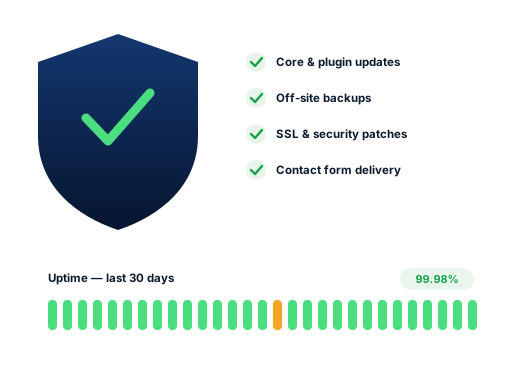
A laptop screen with a security shield and an uptime graph, an external backup drive beside it

Website maintenance where so many searches name the current year

Look at how often a year or a day appears in Culver City suggestions, for example “culver city rent increase 2026”, “culver city car show 2026 schedule”, “culver city events this weekend” and “culver city business license renewal due date”. People expect the answer to be current, so they judge a business website by the same standard. When a site still shows last year’s hours, last spring’s menu or an expired offer, it suggests that nobody is minding the shop.

Some of that currency matters more than the rest. For example, landlords and property managers in a city with its own rent control program need pages that reflect the current year rather than a figure from two years ago. Similarly, restaurants and shops downtown need event hours updated before the car show in May, Fiesta La Ballona in late August and the holiday season. Preschools and tutors, meanwhile, need calendars that follow the school year.

Underneath, a site is a stack of software from many authors: WordPress itself, a theme, a dozen or more plugins and the server they run on. Because each one updates on its own timetable, nobody tests your particular combination. Most months nothing goes wrong. However, in the month something does, the first sign is often a customer mentioning that your form never answered.

  • 2026 the year typed into many local searches
  • May 9 car show downtown, 2026
  • Aug 28–30 Fiesta La Ballona, 2026
Website maintenance illustration combining a security badge, a checklist and a line graph of uptime

Search demand

Why website maintenance follows searches that expect today’s answer

Recorded from Google suggestions with US settings, October 2026. Although none mentions websites, together they describe customers who expect information to be right this week, and your own site faces the same test.

Search term Intent Why it matters
culver city rent increase 2026 Research A figure that changes yearly, so landlord and tenant pages must keep pace.
culver city car show 2026 schedule Medium A dated event, so offers or hours tied to it come down afterward.
culver city art walk 2026 schedule Medium Galleries and cafés can plan a page around it when the city confirms the date.
culver city events this weekend Medium Weekend plans made on a phone, so current hours and events help.
culver city schools spring break 2026 Research Families planning ahead, so camps and classes should match the calendar.
culver city business license renewal due date Medium A yearly deadline, while your domain and hosting renewals deserve the same attention.
culver city fireworks 4th of july Low Holiday closures for the Fourth, posted well before the day.
culver city christmas tree lighting Low A seasonal moment, so December hours belong on the site before it.

Small, regular website maintenance costs less

A customer usually finds a website problem first, weeks after inquiries quietly stopped, and the repair bill then arrives on top of the lost business. Regular upkeep moves that spending earlier, when it is small and predictable. In addition, Culver City sites get a date check: each month we look for expired events, last year’s figures and stale hours, then post or remove notices the same day you ask.


Hidden faults

Five weak spots website maintenance catches on Culver City sites

A quick look at the home page hides every one of these, so we dig deeper.

  1. 01

    Last year’s numbers still published

    A rent figure, a tuition table or a price list from a previous year left on a page that still ranks. Visitors act on it, then feel misled when the real number differs.

  2. 02

    A form that fails without a sound

    Visitors see a confirmation, but the message lands in a junk folder or bounces off your mail server. Therefore, we route site email through a dedicated sending service and send a test submission each month.

  3. 03

    Event banners that outlive the event

    When a car-show special or a holiday closure still sits at the top of the site in March, visitors assume nobody is looking after the business, let alone the website.

  4. 04

    Renewal reminders going to a dead inbox

    The person who set up the site has left, nobody has the hosting password and domain notices go to an address no one reads. So we track down each account and move it into your business’s name.

  5. 05

    Spam pages planted through an old plugin

    Plugins that no longer receive updates are a favorite way in. Attackers then add hidden pages aimed at search engines, and because those pages never appear in your menu, rankings slide with no obvious cause.

Layers we look after

Website maintenance on separate clocks: core, add-ons, server, domain

WordPress core, add-ons, the server and the domain each age at their own pace, so we care for them on separate schedules.

01

WordPress core

Security fixes applied quickly

Point releases go in promptly, because the WordPress security team ships its fixes in them. Large upgrades, however, wait until a staging copy confirms that the plugins your site leans on still behave with the new version.

02

Theme and plugins

Backed up before each update

This is where most breakages and most break-ins begin, so we remove anything inactive rather than leave it lying on the server.

03

Server and PHP

Upgraded with your agreement

Hosting companies phase out older PHP on dates they choose. Before that happens, we trial your site on the next version in a safe copy, then move over once you give the go-ahead.

04

Domain, DNS and certificate

Renewal dates on file

If a domain or SSL certificate lapses, the site, and frequently your email with it, vanishes overnight. For that reason, a renewals sheet records each date and the card or login behind it.

The work

Website maintenance in every monthly plan

01

Updates with a safety net

Updates happen on a fixed day every cycle, but only after a new backup, and end with a phone test of the pages that bring in inquiries.

02

Backups kept off the server

Regular copies of your files and database saved to storage outside your hosting account. Now and then we also restore one into a test space so we know it really works.

03

Security basics

Malware scanning, a cap on repeated failed sign-ins, a periodic look at which users hold admin rights, and quick patches whenever a plugin weakness becomes public knowledge.

04

Uptime alerts

If the site goes down, we hear about it within minutes, often before anyone in your office does.

05

A monthly form test

We fill in your contact and booking forms each month, then confirm the message reached your inbox.

06

Dated content kept current

When you send a new menu, a changed schedule, updated yearly figures or a closure date, we publish it. Likewise, we take it down on your word once it stops being true.

Done carefully

Website maintenance that leaves your logins with you

Rules we follow for every Culver City client, written down so you can hold us to them.

Access
You keep ownership of the domain, the hosting account and the main admin login, while we work through a separate user account you can remove at any time.

Ordinary website maintenance costs nothing beyond your plan. However, a long-abandoned or already compromised site needs a one-off rescue, quoted after we look and before we begin.

Admin login
Stays yours
Backups
Kept off your server
Extra work
Quoted first
Ask us about your business
Raindrops on the glass behind a work desk where an open sketchbook sits between a laptop and a smartphone
  • No password changed unless we tell you first.
  • No update before a fresh backup.
  • No charges you have not approved.
  • No “nulled” plugin downloads, because they often hide malware.

How we work

Four steps, repeated every month

Every Culver City client goes through the same four stages, whatever the business.

  1. 01

    Take stock

    A review of your site and Business Profile, with rankings checked from Downtown, the Arts District and the edges of your service area.

  2. 02

    Pick the searches

    We choose the phrases worth winning, street and time modifiers included, and give each one a single home page.

  3. 03

    Make the changes

    Profile, site, content and listing fixes, led by whatever is most likely to bring calls soonest.

  4. 04

    Report every month

    A short read on leads and rankings, what moved, and what we plan to tackle next.

Questions

Website maintenance questions from Culver City owners

What does website maintenance cost?

Your plan already covers it, whether that is $300, $500 or $700 per month in USD, and none of them ties you in. The only extra is a one-time rescue for a long-neglected or hacked site, which we quote after an assessment.

Can you update our rent or fee pages each year?

Yes. Send the new figures once you have them, and we update the pages, the date shown and any related posts together. However, the content and any legal judgment stay yours, so for tenancy questions we link readers to the city’s own rent control program.

Can you post a closure or event notice quickly?

Yes. Email us what has changed and we add a clear notice the same day, along with a reminder to set special hours on your Google profile. Then it comes down once it stops being true.

Our web person left and nobody knows the logins. Where do we start?

With recovery. We trace who registered the domain, who hosts the site and which emails hold admin rights, then regain access properly. After that, an audit and a fixed quote cover any backlog.

Google is listing pages on our domain that we never made. What is going on?

Quite possibly a break-in, especially if visitors bounce to unrelated sites or see a red browser warning. We quote cleanup separately; it removes the injected code, seals the hole and asks Google for a fresh look afterward.

Is hosting included?

No, hosting stays a direct arrangement between you and the host, so the server is always in your name. Still, we are happy to suggest a reliable provider and set it up alongside you.

Further reading

From the blog

Related articles for Culver City owners who want to dig further into this topic.

Is your Culver City business easy to find on Google yet?

We check for free where you place from Downtown to Fox Hills, which competitors outrank you and what to fix first.

Request my free audit